For independent UK and Ireland clinics
Aesthetic clinic software for booking, consent and records.
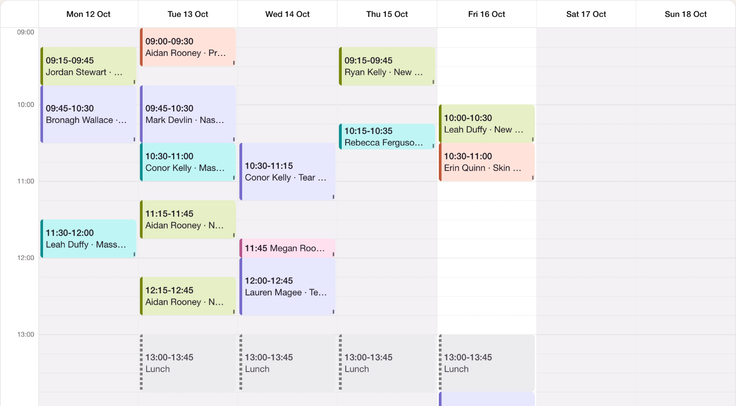
Open the diary. Find the forms, notes and follow-up on the same patient file. One system, set up with you around the way your clinic works.
Free for 14 days. Cancel before it ends and you pay nothing. Card required.
The direct answer
What is aesthetic clinic software?
Aesthetic clinic software connects your diary, bookings, consent forms and patient records. AesthetiClinic includes those tools alongside treatment notes, photographs, payments and reporting for independent UK and Ireland clinics.
The subscription is £25 plus VAT per bookable practitioner per month. SMS costs 7p plus VAT per message. No percentage commission on your deposits; Stripe card processing fees apply. Check the built-in features and limits, or use our software buying guide to build a shortlist.
- £25
- plus VAT per practitioner a monthThe whole platform, minimum one bookable practitioner seat.
- 0%
- commission to usPayments settle to your own Stripe account. Stripe's card processing fees apply.
- Free
- admin and reception usersPractitioners are the subscription unit.
- Your data
- exportable, with no exit feeStructured records and files. Large media libraries may need a further download supplied on request.
A day in your clinic
One patient. The whole visit together.
-
Before the visit
- Patient
- Choose an appointment, pay the required deposit and open the form links.
- Clinic
- Set availability and booking policy, then review the forms and appointment. Stripe card fees apply to deposits.
-
In the room
- Patient
- Discuss suitability and consent with the practitioner.
- Clinic
- Retrieve the signed version and record treatment details, products, batch numbers and photos where appropriate.
-
After the appointment
- Patient
- Receive relevant aftercare and appointment communications.
- Clinic
- Keep notes and communication history on the record. Use reporting and exports to review the clinic’s work.
Capabilities and limits
What your subscription takes care of.
Find the tools you need today, and the ones you might need as the clinic grows.
| Capability | Included? | Scope and detail |
|---|---|---|
| Consent forms | Yes | E-signed, versioned forms on the patient's phone, filed to the recordConsent form software |
| Consultation and intake forms | Partly | Four form types sent before the visit, and a consultation-first rule; no separate consultation form typeConsent form software |
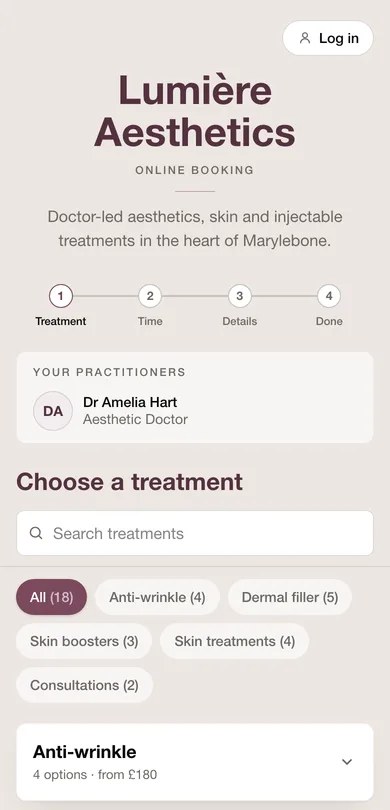
| Online booking | Yes | Branded booking page, practitioner choice, deposits to your own Stripe, waitlist; Stripe card fees applyBooking system |
| Payments | Yes | Deposits, receipts and invoices, vouchers, account credit, Xero syncFull feature list |
| Reporting | Yes | Appointment, financial, patient, staff and stock reports; CSV exports on individual reportsFull feature list |
| Staff management | Yes | Shifts, time off, roles, audit trail, credential vault, staff reportWhole-clinic diary |
| Staff targets | No | No target setting; the staff report gives the figures, exportable as CSVWhole-clinic diary |
| Marketing | Yes | Lifecycle automations, two-way SMS, offers; campaigns from your own MailchimpMarketing |
| Memberships and packages | Yes | Recurring memberships and prepaid courses, sold and redeemed from the recordMarketing |
| Treatment plans | Partly | No plan builder; packages, recall intervals, consultation-first rule, treatment historyPatient records |
| AI | Not verified | Current availability not verified here. Optional AI processing is disclosed in the DPA; ask for a demonstration before relying on itData processing agreement |
Shifts, rooms and roles
Know who is in, and who can book.
-
Offer the hours that work for you.
Practitioner shifts, time off, one-off overrides and staff-to-treatment matching determine the available appointments.
-
Separate logins for your team.
Roles for reception, practitioners, prescribers and owners control access to the diary and clinical information.
-
See how the month went.
Review appointments, staff activity and record completeness. Reports export as CSV; finance views need the appropriate permission.

In their own words
The clinic, on her phone.
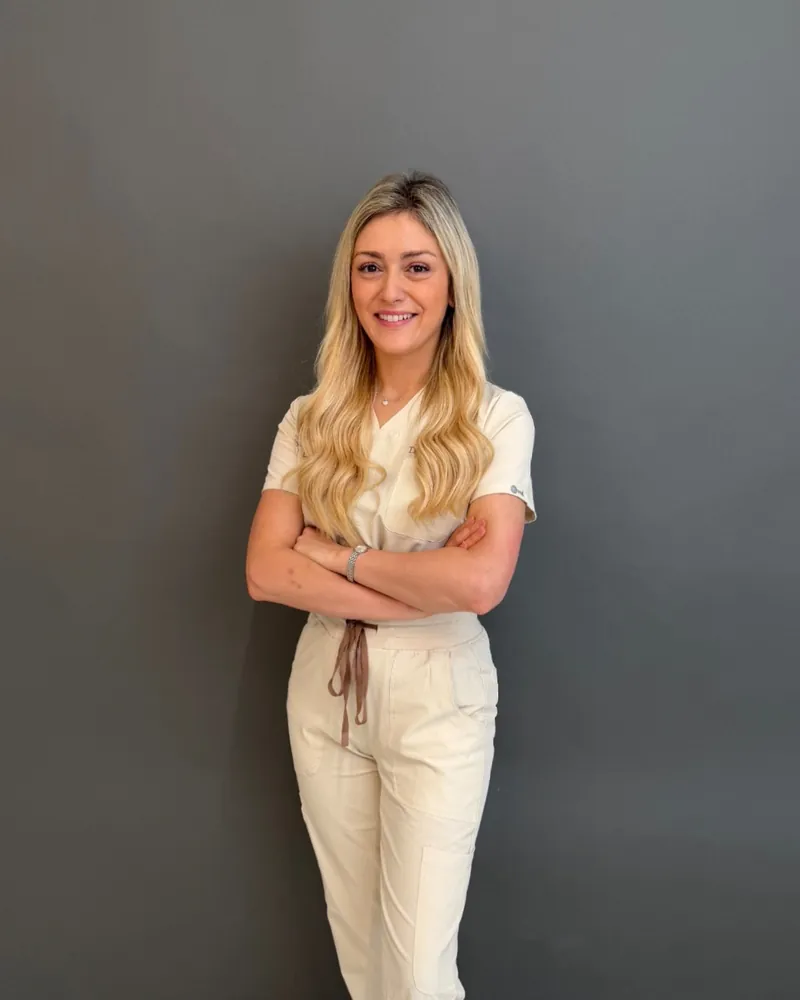
“Clients love the ease of use and as a practitioner, the fact that booking, documentation, and email marketing are in one place; and that can be used from my phone is 10/10.”
Dr Pam Rhead, Dr Rhead Aesthetics, Bangor, Co. Down
Clinical notes
Notes finished while the visit is fresh.
-
Start with the notes you use.
Save a general or treatment-specific note template. Start from it and document what matters about the individual visit.
-
The product details, written once.
Record product, quantity, unit, batch number, expiry, instrument and site alongside the free-text narrative.
-
A map of this treatment.
Record placement, product, dose, batch and depth against points on the map.
-
Stock recorded as you use it.
Match products to the stock list so recorded use can deduct stock without a second entry.

Forms, photos and history
Her forms, photos and history. Right here.
-
The signed wording stays put.
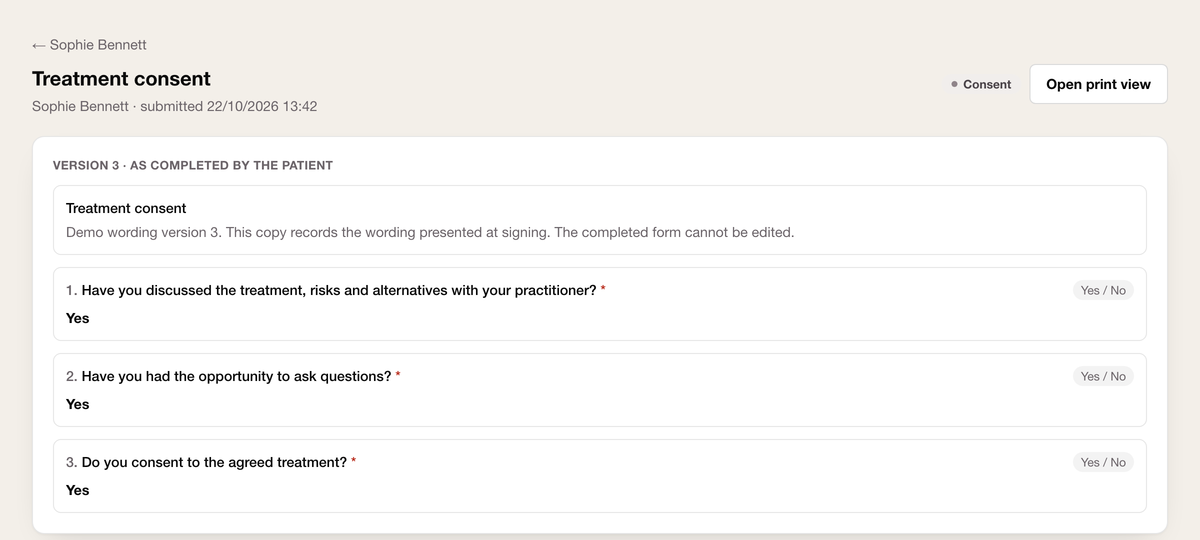
Keep the wording the patient signed alongside the treatment record. A later template edit does not replace that signed version.
-
A history you can pick up quickly.
Keep consented photos on the record with allergy and contraindication alerts and notes for the team.
-
Take your records with you
Export structured records and files without an exit fee. Large media libraries may need a further download supplied on request.
Regulation and recordkeeping
Your good work, there in the record.
Keep age checks, credentials, emergency-kit details and prescribing evidence alongside the work they support.
-
Check age before taking payment.
Age-restricted treatments require a date of birth before payment, with an in-clinic ID-check flag for younger patients. Staff still verify identity and suitability.
-
Keep credentials within reach.
Keep registrations, insurance and expiry dates in the owner-only vault. Record the prescriber’s registration and face-to-face consultation evidence.
Communication and recall
Stay in touch without starting from scratch.
-
The messages around each visit.
Confirmations, reminders, form requests and aftercare stay connected to the patient record. Ordinary appointment emails are included.
-
Give patients a way back.
Treatment intervals, review requests and a two-way SMS inbox support follow-up. Check the appropriate permissions for promotional messages.
-
Your campaigns, in your Mailchimp.
Sync the patient audience and marketing consent to your own account. There is no in-app campaign builder; your Mailchimp plan is separate.
-
Vouchers and courses on the file.
Sell and redeem stored value from the patient record.
Fit and switching
Just you today. Room for the team tomorrow.
-
One practitioner, or your whole team.
The price is per bookable practitioner, with a minimum of one seat. Admin and reception accounts are free.
-
Know what can move before you start.
Agree what the source system can provide, check the imported data and review future bookings before launch.
Questions
Clinic software questions, answered straight.
Which aesthetic clinic software has built-in consent forms?
AesthetiClinic includes digital consent forms with patient signatures and versioned wording. Patients can complete a secure form link on a phone or tablet. Signed forms stay linked to the patient record. The practitioner still reviews the answers and discusses consent.
Which aesthetic clinic software has built-in online booking?
AesthetiClinic includes a branded booking page connected to practitioner availability and the clinic diary. Patients choose a treatment, practitioner and available time. Deposits use your own Stripe account. No percentage commission on your deposits; Stripe card processing fees apply.
Which aesthetic clinic software has built-in patient records and photos?
AesthetiClinic keeps patient records, treatment notes, signed forms and photographs together. Use a demonstration to check the record and photo workflow your clinic needs, including what can be exported.
Which aesthetic clinic software has built-in reporting?
AesthetiClinic includes appointment, financial, patient, staff and stock reports. Access depends on staff permissions. CSV exports are available for individual reports; check the report you need in a demonstration.
Which aesthetic clinic software has built-in staff management?
AesthetiClinic includes practitioner shifts, time off and role-based access. These tools manage availability and who can use clinical or financial information. Check your reception and practitioner roles in a demonstration.
Which aesthetic clinic software has built-in payments?
AesthetiClinic supports booking deposits through your own Stripe account, plus payment records, receipts and invoices. The subscription is separate from payment costs. No percentage commission on your deposits; Stripe card processing fees apply.
Which aesthetic clinic software has built-in marketing features?
AesthetiClinic includes appointment communications and follow-up tools. Campaigns use your own connected Mailchimp account, with marketing consent synced from patient records. Your Mailchimp plan is separate from the clinic software subscription. SMS costs 7p plus VAT per message.
Does it suit a solo practitioner as well as a team?
Yes. The subscription is £25 plus VAT per bookable practitioner per month, with at least one practitioner seat. Admin and reception accounts are free. Shifts and roles support a growing team without changing plan.
Does the software make my clinic compliant?
No. It supports recordkeeping, age checks, credentials and prescribing evidence. Clinical decisions, form wording and legal obligations remain the clinic’s responsibility.
Can I sign forms on a device logged out of the app?
Yes. A secure single-purpose link lets a patient complete a form on a phone or tablet without a staff login. An internet connection is required.
Where is patient information handled?
The application database is hosted in Germany and uploaded files are stored under EU jurisdiction. Some sub-processors, including communication providers, operate in the US under Standard Contractual Clauses. Read the sub-processor list in the DPA.
How do email, SMS and campaigns get charged?
Ordinary appointment emails are included. SMS is 7p plus VAT per message in prepaid 1,000-message bundles. Campaigns run through your own Mailchimp account and plan. Stripe card fees also apply to patient payments.
How does switching work?
We assess what your provider can export, agree a migration scope and review imported records and appointments with you before launch.
Can I get my records out if I leave?
Yes. You can export structured records and files without an exit fee. If your media library needs more than a single download, the remainder can be supplied on request. Your access and export rights are set out in the subscription agreement.
See your own clinic day in one place.
Bring your treatments, forms and questions. We will walk through the jobs your clinic needs to do.
Book a 30-minute demoFree for 14 days. Cancel before it ends and you pay nothing. Card required.